

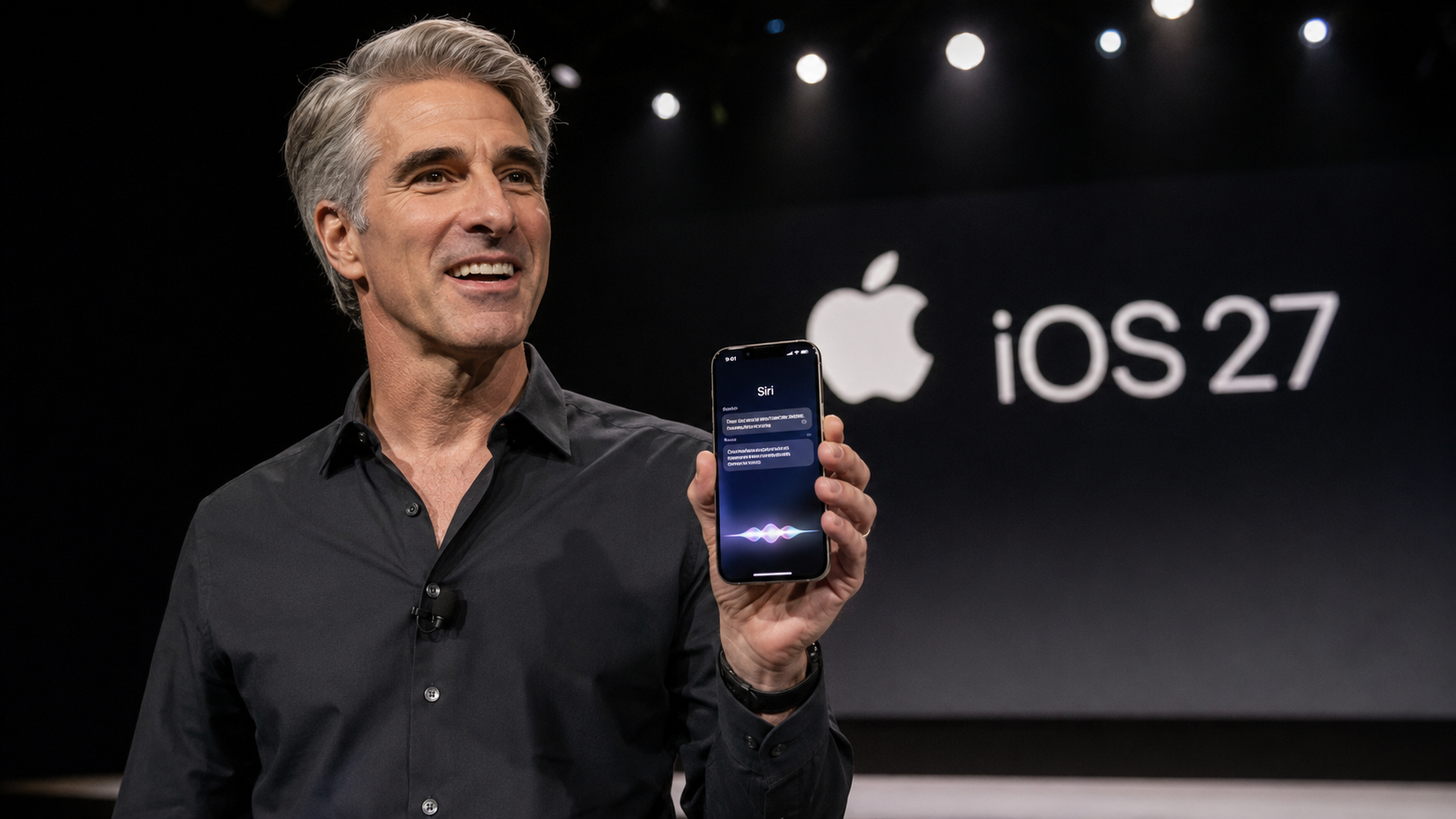
I’ve spent the last three days running the newly released iOS 27 public beta on my secondary iPhone 17 Pro, and I am going to give it to you straight: Apple has finally done the one thing we’ve been begging them to do for over a decade. They fixed Siri.
Actually, "fixed" is the wrong word. They tore the old voice assistant down to the studs and built a completely new, system-level AI that makes the previous iteration look like a cheap parlor trick. Released to public testers on Monday, July 13, 2026, the iOS 27 beta gives us our first unrestricted look at the software that will power the upcoming iPhone 18 lineup this September.
If you are thinking about jumping on the beta train, you need to know what you are getting into. This isn't just a fresh coat of paint. Between the completely overhauled Siri AI, the visually striking Liquid Glass interface, and some massive under-the-hood speed optimizations that actually breathe life into aging hardware, iOS 27 is the most aggressive software pivot Apple has made in years.
Here is my honest, unfiltered breakdown of what works, what needs polishing, and whether you should install the iOS 27 public beta on your daily driver.
Siri AI: The Assistant We Were Actually Promised
Let’s tackle the elephant in the room first. Siri has been the butt of the joke in the tech community for a long time. Up until now, asking Siri a complex question usually resulted in a frustrating web search prompt. That era is officially dead.
In iOS 27, Siri has been rebranded as Siri AI, and it behaves exactly like a fluid, conversational chatbot. Apple is utilizing a hybrid approach here. The system is heavily powered by their next-generation Apple Foundation Models to handle your personal data securely on-device and via Private Cloud Compute. However, for broader world knowledge, Apple has integrated Google's Gemini AI models. The result is a hybrid engine that is frighteningly fast and incredibly context-aware.
What separates Siri AI from standalone apps like ChatGPT or Claude isn’t just raw computing power it is system-level access. Siri AI actually knows you. During my testing, I asked Siri to pull up a dinner recommendation my brother texted me three months ago. Instead of failing, it instantly scanned my iMessage history, found the exact restaurant, and offered to add the ingredients from the restaurant's online recipe to my Apple Notes shopping list. It executed all of this in about four seconds.
Apple has also finally given Siri a dedicated app. You get a full, chatbot-like interface where you can type queries, scroll through your conversation history, and pin specific chats. Because this history syncs securely across iCloud, you can start a complex research query on your iPhone on the train and pick right up on your iPad when you get to the office.
The AI Heavyweights: Siri AI vs. ChatGPT vs. Claude
How does Apple’s native solution stack up against the established AI giants? I put them head-to-head.
| Feature / Capability | Apple Siri AI (iOS 27) | ChatGPT (Plus) | Anthropic Claude 3.5 |
| System-Level Integration | Absolute. Reads your texts, calendar, and Mail to provide context. | Limited. Operates in a siloed app environment. | Limited. Operates in a siloed app environment. |
| Hardware Control | Native. Can lock doors, pull passwords, and change settings. | None. Cannot interact with iOS system settings. | None. Cannot interact with iOS system settings. |
| Underlying Engine | Apple Foundation Models + Google Gemini AI. | GPT-4o (OpenAI). | Claude 3.5 Sonnet (Anthropic). |
| Conversational Memory | Synced across Apple devices via iCloud history. | Synced via OpenAI account. | Synced via Anthropic account. |
| Screen Awareness | Yes. Understands and acts on what is currently on your screen. | Limited to uploaded screenshots or voice mode. | Limited to uploaded screenshots. |
Siri AI wins outright on convenience and ecosystem integration. You simply cannot beat an AI that can natively delete old files, grab a birthday out of your contacts, and build a HomeKit automation just by asking it in natural language.
Performance Specs: Speed Where It Counts
While the AI gets the headlines, the most practical improvement in iOS 27 is the raw speed. Apple went back and aggressively optimized the CPU scheduler across the entire supported device lineup. I installed this beta on an old iPhone 11 just to see if Apple was bluffing, and the results were genuinely surprising. The phone felt significantly lighter on its feet.
If you are obsessed with the hard numbers, here are the verified performance specs Apple has achieved in this beta:
- App Launch Speeds: Applications now launch up to 30% faster across the board.
- Media Processing: Newly captured photos process and land in your camera roll up to 70% quicker.
- File Transfer: Proximity-based AirDrop transfers complete up to 80% faster.
- Network Handoff: The iPhone now drops weak home Wi-Fi signals much earlier, handing off to cellular data smoothly without that frustrating "dead zone" lag when you walk out your front door.
- Mail Search Engine: Apple completely rebuilt the Spotlight and Mail search indexes. Mail now instantly surfaces five ranked "Top Results," entirely eliminating the painful wait times for old receipts or flight tickets.
The Liquid Glass Interface and Ecosystem Upgrades
Aesthetically, iOS 27 introduces the Liquid Glass UI, which is a highly customizable evolution of last year's design language. Apple added a system-wide slider that lets you manually adjust the transparency and blur levels of your widgets, folders, and menus. I immediately cranked the transparency up on my OLED screen, and the depth effect over my wallpaper looks incredibly premium.
Beyond the visuals, Apple sprinkled significant quality-of-life upgrades across their core apps:
- Camera & Visual Intelligence: The Visual Intelligence feature has been relocated directly into the native Camera app. Point your lens at a plate of food, and it instantly calculates nutritional information. Point it at a receipt, and it automatically splits the bill among your contacts.
- Photos: The new AI-powered "Clean Up" tool allows you to seamlessly remove background photobombers with a single tap, rivaling Google's Magic Eraser.
- Safari: Apple’s browser now automatically organizes your endless open tabs by topic, groups your bookmarks, and allows you to create custom extensions using natural language prompts.
- Health: The Health app finally adds native menopause tracking, a long-overdue feature for a massive segment of Apple's user base.
- HomeKit & AirPods: The Home app now officially supports 4K video camera feeds, while AirPods (specifically the AirPods 4, Pro 2, Pro 3, and Max 2) gain a highly requested Custom EQ setting for personalized audio profiles.
Device Compatibility: The Harsh Reality of AI Hardware
Here is where the frustration kicks in. Apple is notoriously strict about gating features behind newer silicon, and iOS 27 is no exception. The update itself is supported on devices as old as the 2019 iPhone 11, but the flagship Apple Intelligence and Siri AI features require serious neural processing power.
If you are holding onto an older device, you will get the speed boosts and the Liquid Glass UI, but you will be completely locked out of the AI party. Furthermore, Apple has confirmed that some of the most heavy-duty on-device AI workloads are exclusively gated to the highest-end hardware, including the iPhone 17 Pro, iPhone 17 Pro Max, and the upcoming iPhone Air.
Here is the exact breakdown of who gets what in iOS 27:
| iPhone Generation / Series | Models Included | iOS 27 Feature Tier |
| iPhone 17 Series | iPhone 17, 17 Pro, 17 Pro Max, 17e, iPhone Air | Fully Supported (All features, advanced on-device AI) |
| iPhone 16 Series | iPhone 16, 16 Plus, 16 Pro, 16 Pro Max, 16e | Supported (Full Apple Intelligence & Siri AI) |
| iPhone 15 Series | iPhone 15 Pro, 15 Pro Max | Supported (Full Apple Intelligence & Siri AI) |
| iPhone 15 Series (Base) | iPhone 15, 15 Plus | Limited (Core OS features only, no Siri AI) |
| iPhone 14 Series | iPhone 14, 14 Plus, 14 Pro, 14 Pro Max | Limited (Core features, limited legacy AI) |
| iPhone 13, 12, 11 & SE | All base, mini, Pro, and Pro Max variants | Core Only (Speed upgrades, UI changes, zero Siri AI) |
Note: Siri AI is launching exclusively in English at this stage and will not be available in the EU at launch due to ongoing regulatory standoffs.
How to Install the iOS 27 Public Beta (And Why You Should Wait)
If you are an enthusiast who absolutely cannot wait until the official rollout alongside the iPhone 18 this September, Apple has made the installation process relatively painless. No developer account is required; you just need to enroll your Apple ID.
Step-by-Step Installation Guide:
- Back Up Your Data: I cannot stress this enough. Run a full, encrypted backup to iCloud or your Mac. If this beta soft-bricks your phone, you will lose everything not backed up.
- Enroll Your Account: Open Safari on your iPhone and navigate to
beta.apple.com. Sign in with your Apple Account and accept the terms and conditions. - Trigger the Update: Navigate to Settings > General > Software Update.
- Select the Beta: Tap the new Beta Updates menu and select iOS 27 Public Beta.
- Download and Install: Ensure your device is plugged into power and connected to a stable Wi-Fi network before initiating the download.
As someone who installs beta software for a living, let me give you some grounded advice: Do not put this on your primary device right now.
Yes, Siri AI is a revelation. Yes, the phone feels 30% faster and the Liquid Glass UI is gorgeous. But this is still a beta 1 public release. During my testing, I experienced rapid battery drain, my banking app crashed on launch every single time, and the device ran noticeably hot while indexing the new AI features. Apple explicitly recommends against installing this on your main phone for a reason.
If you have an old iPhone 15 Pro or iPhone 16 sitting in a drawer, by all means, load iOS 27 onto it and experience the future of Apple Intelligence. But if you rely on your iPhone for your job, your alarms, and your daily life, exercise some patience. Wait for the stable release this September. The new Siri is fantastic, but it isn't worth missing an important call because a beta bug crashed your cellular modem.